The KarlCal Journal · Schedules
How to Stop Missing Family Appointments, Events & Reminders
Most missed appointments start days earlier, when the date never made it onto the calendar.
By the KarlCal team · Updated · 3 min read
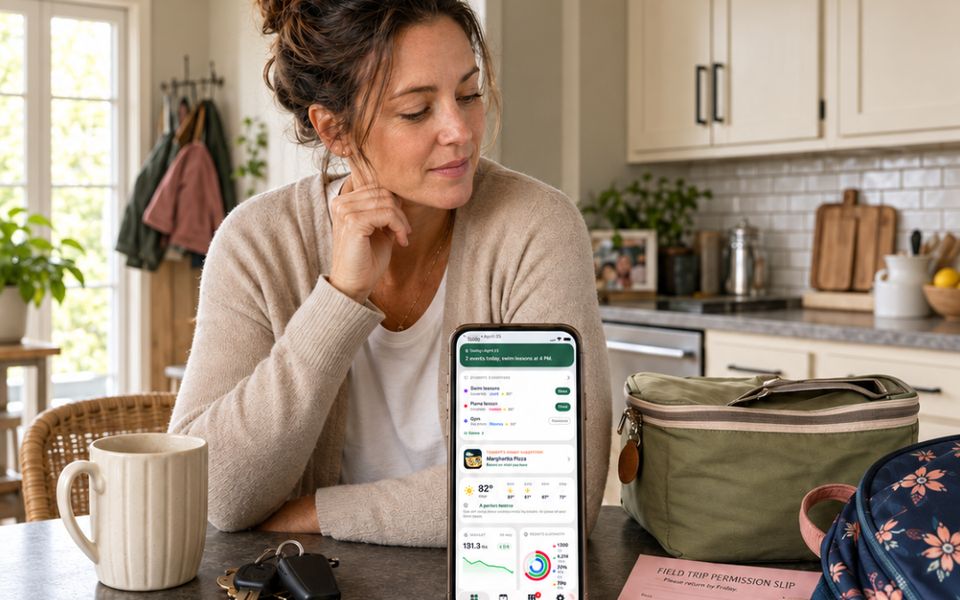
The short version
- Enter appointments the moment you book them, before you hang up.
- Use two reminders: one to prepare and one to leave.
- Write reminders as instructions: "Leave for dentist, bring insurance card."
- Use fewer, better reminders so nobody learns to ignore them.
Capture it before you hang up
Most missed appointments were never on the calendar. Someone booked it on the phone, at the front desk or by email and meant to add it later. Make it a rule: you don't leave the dentist's desk or end the call until the appointment is on the shared calendar. If the office sends a confirmation email, add it to the calendar as soon as it arrives.
Two reminders for every important event
- The prepare reminder, timed for when you can still act: buy the gift, fill out the forms, fast before blood work, find the insurance card.
- The leave reminder, timed for when you need to walk out the door, including travel and getting kids into the car.
| Event | Weak reminder | Better reminders |
|---|---|---|
| Dentist at 3:30 | 30 minutes before | Day before: "Pick Sam up from school at 3:00." At 2:45: "Leave now." |
| Permission slip due Friday | Friday morning | Tuesday evening: "Sign the slip and pack it." |
| Birthday party Saturday | Saturday morning | Wednesday: "Buy gift." Saturday 1:15: "Leave, gift is by the door." |
| Car registration due the 31st | On the 31st | Three weeks before: "Get the emissions test." |
| 8 a.m. flight | Two hours before | Two days before: "Check in, start packing." Night before: "Car seat in the car." |
Write the action into the reminder
A notification that says "Dentist" still makes you open the calendar and think. "Leave for dentist, bring insurance card" tells you what to do. Write reminders as short instructions.
Put appointment prep in the event notes
Offices often ask you to arrive 15 minutes early, bring a list of medications or fill out forms online. Copy those instructions into the event notes when you book. Whoever takes the child then has everything in one place, even if they didn't make the booking.
Recurring things need recurring reminders
Some things come back every few months or once a year: dental cleanings, annual physicals, eye exams, car registration, pet vaccinations, furnace filters, passport renewals. Make a short list and create recurring reminders. For anything that has to be booked ahead, set a reminder to book it about a month before it's due.
Watch for notification fatigue
If every event pings three times, people start swiping them all away. Save reminders for things that need action or a change in routine. A practice that's the same every week may not need a reminder at all. A one-time early dismissal does.
A two-minute nightly check
Each evening, look at tomorrow. Is anything unusual about the time, the place or who's driving? Is there anything to pack? This catches what reminders miss, like the event someone entered without one.
Share the reminders, not just the event
A common miss: one parent books the appointment, sets a reminder on their own phone, then gets stuck at work. When the event and its reminders are on a shared calendar, the other adult sees it too and can step in.
Written by the team behind KarlCal, a free shared calendar for families. We update these guides when we learn something new.